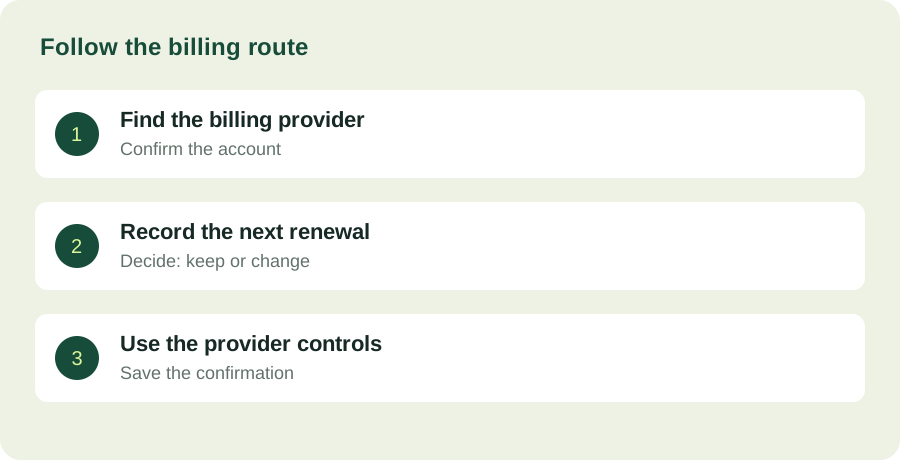
Find who handles the payment
Start with the account and service that actually bills you. A subscription associated with an Android app may be handled through Google Play or through the provider directly. Looking only at the apps currently installed on your phone will not produce a reliable inventory of active payments.
Google's subscription help specifically distinguishes uninstalling an application from canceling its subscription. For subscriptions managed by Google Play, use the subscriptions area of the correct Google account and follow the cancellation process there. A subscription purchased through another billing route needs that provider's process instead.
Make a decision table, not a pile of screenshots
Create a small table with the service, billing provider, renewal date, amount shown in the account, purpose and decision. Record the information from the current account screen or receipt rather than an old advertisement. If you use several personal or work accounts, note which one owns the subscription.
The purpose column is the important editorial addition. 'Photo editor' is a category; 'export the monthly newsletter images' is an actual job. A subscription with a clear recurring job is easier to evaluate than one retained because you vaguely expect to use it. Do not assume that infrequent use automatically means poor value: a tool can be important for an occasional task.
Check what you would lose before changing the plan
Before canceling or downgrading, review official information about stored files, access and features. Export work you need using the provider's supported method. Keep the distinction between a cancellation request, the end of an entitlement period and deletion of an account. They can be different events.
If the subscription is shared with a household or team, identify who relies on it. An unused app on your phone may still support someone else's work. A short conversation about ownership and timing can prevent a well-intended cleanup from interrupting a project.
Record the result of the action
When you make a change, retain the provider's confirmation and the effective date displayed in the account. Do not mark an item complete merely because you reached a cancellation page. If the state is unclear, use official support rather than repeatedly pressing controls or assuming the payment has stopped.
A cancellation confirmation is not necessarily a refund confirmation. Refund eligibility and the effect of ending renewal depend on the purchase and provider terms. This guide organizes the audit workflow; it does not promise a refund or interpret the terms of a particular transaction.
Make the next review easy
Keep the inventory somewhere you will revisit when a new subscription is added. A recurring calendar reminder may be sufficient. The useful habit is recording the billing route at the time of purchase, because that is often the detail that becomes difficult to reconstruct later.
After the audit, the result should be a smaller set of explicit decisions: keep because it performs a job, investigate because ownership is unclear, or change because the job no longer exists. The objective is an understandable set of commitments rather than an arbitrary target for the number of apps you pay for.