Write down what keeps going wrong
Before comparing applications, describe the failure in a single sentence. 'I forget small errands' is different from 'our team cannot find the latest decision.' The first problem concerns capture and retrieval; the second concerns shared information and responsibility. A large workspace can store both, but that does not mean its setup cost is justified for the first problem.
Use an example from the last week rather than an idealized future routine. What information was missing? Who needed it? When did they need it? If the answer is one person remembering a short item, begin with a simple capture tool. If several people need context and ownership, compare collaboration rather than the appearance of the dashboard.
Separate the item from its context
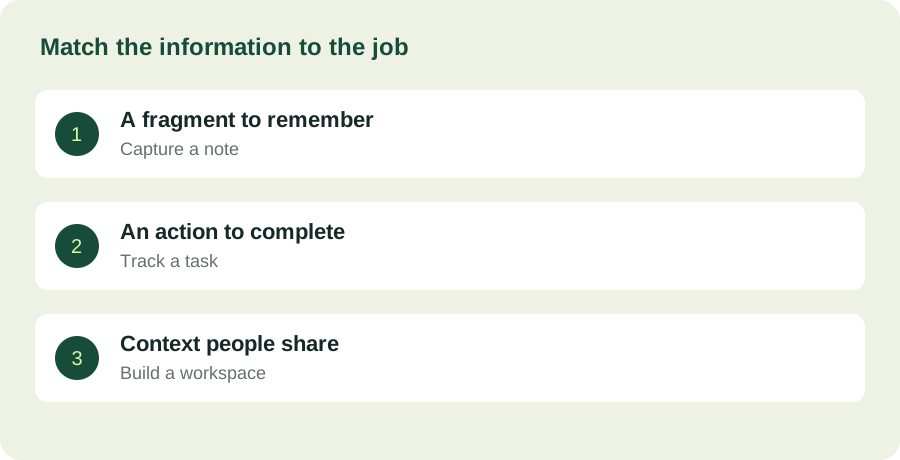
Google Keep's official help describes notes and lists. Todoist presents task organization. Notion's documentation covers a broader workspace. These categories overlap, but the distinction is useful: a note records something; a task represents an action; a project workspace can preserve the reasons and supporting material around a set of actions.
Take a real item such as organizing a small event. 'Buy cups' is an action. A phone number is reference information. A decision about the venue has context and may affect several actions. Decide which of these you need to keep together. If you routinely paste long explanations into task names, the surrounding information may need a more appropriate home.
Run a deliberately small trial
Choose one project and a short evaluation period. Record only the material needed for that project. Avoid importing years of old notes or building a sophisticated category system before the basic workflow works. The trial should reveal whether you can capture an item, locate it later and identify the next action.
At the end, ask three questions: Did anything disappear from view? Did you maintain the system without avoiding it? Could another intended user understand it without a tour? These are evaluation questions, not a validated scoring instrument. They make the trade-offs visible without pretending there is a universal numerical ranking for productivity software.
Check the exit as well as the entrance
Find the current export or backup information for the product you are considering. Examine what you would need to preserve if the project ended or moved elsewhere. A list of completed tasks may be disposable; a record of important decisions may not be. Portability matters in proportion to the importance of the information.
Also check which features your actual plan includes. A collaboration feature shown in a product tour may have account or subscription conditions. Verify those conditions before asking a group to reorganize its work. The cost of moving people and information can exceed the visible price of the application.
Keep the system small after it works
A successful trial is not an instruction to add every available feature. Keep the structure that helped you complete the project and add complexity only when a repeated need makes it worthwhile. An unused dashboard still needs attention when it becomes stale.
The strongest choice may be two modest tools with a clear boundary: quick notes for capture and a shared workspace for agreed project information. What matters is that an item has a dependable destination and the people involved understand it. The software should make that agreement easier to keep.